
How the gateway works
The Buun MCP gateway is one MCP endpoint, https://mcp.buungroup.com/mcp, in front of every Buun Group product. A person connects an agent to it once and reaches the tools of every product they use.
What an agent sees
| Tool | What it does |
|---|---|
buun_whoami | Who the agent is signed in as |
buun_products | Every product the gateway offers, and whether this person can reach it |
buun_connect | A link that connects a product the old way, with the product's own sign-in, for ten minutes and once |
buun_disconnect | Disconnects a product |
<product>__<tool> | Each product's own tools, approved by staff, such as plotwork__draw_diagram |
Connecting an AI tool
People connect from the account portal, under Connected products: one address, https://mcp.buungroup.com/mcp, and the steps for each tool, with its own command, config file or one-click install. Staff see the same panel on the console's Gateway page. Every tool signs in with Buun Group by OAuth the first time, so nobody pastes a key.
| Tool | How |
|---|---|
| Claude Code | claude mcp add --transport http buun-group https://mcp.buungroup.com/mcp, then /mcp to sign in |
| Claude | Settings, Connectors, Add custom connector, and paste the address |
| ChatGPT | Settings, Apps & Connectors, Advanced settings, Developer mode; then Create, and paste the address |
| Codex | codex mcp add buun-group --url https://mcp.buungroup.com/mcp, then codex mcp login buun-group |
| Cursor | The one-click install link, or ~/.cursor/mcp.json |
| VS Code | The one-click install link, or code --add-mcp |
| Windsurf | ~/.codeium/windsurf/mcp_config.json with serverUrl |
| Gemini CLI | gemini mcp add --transport http buun-group https://mcp.buungroup.com/mcp, then /mcp auth buun-group |
| Zed | context_servers in its settings |
| Roo Code, Kilo Code | .roo/mcp.json or .kilocode/mcp.json, type streamable-http |
| Kiro, LM Studio | Their mcp.json with the address |
| Amp | amp mcp add buun-group https://mcp.buungroup.com/mcp |
| OpenCode | opencode.json, type remote, then opencode mcp auth buun-group |
| Goose | goose configure, Add Extension, Remote Extension (Streamable HTTP) |
| JetBrains AI, Le Chat, Cline, and any other MCP client | Their MCP or connector settings, and paste the address |
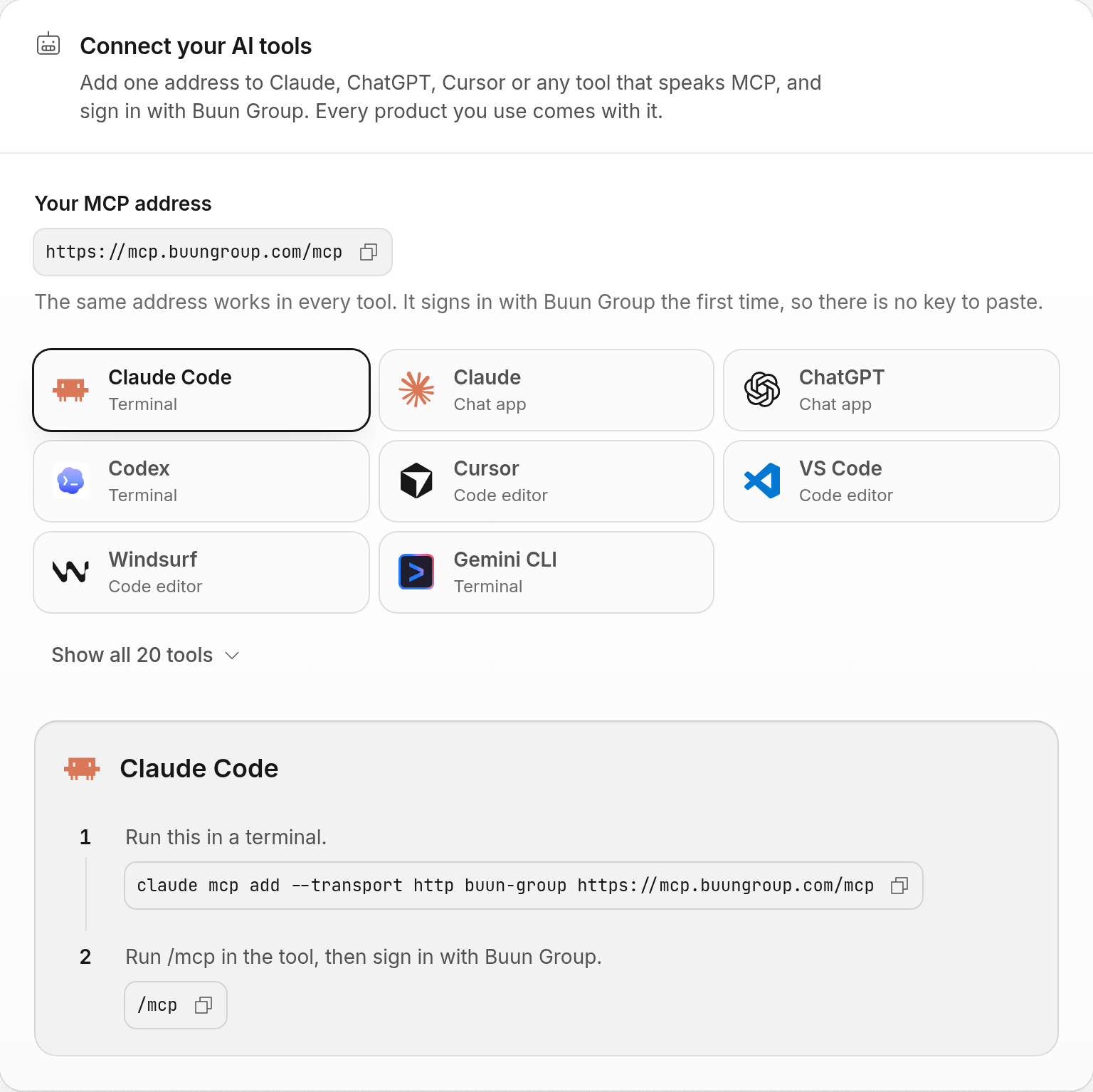
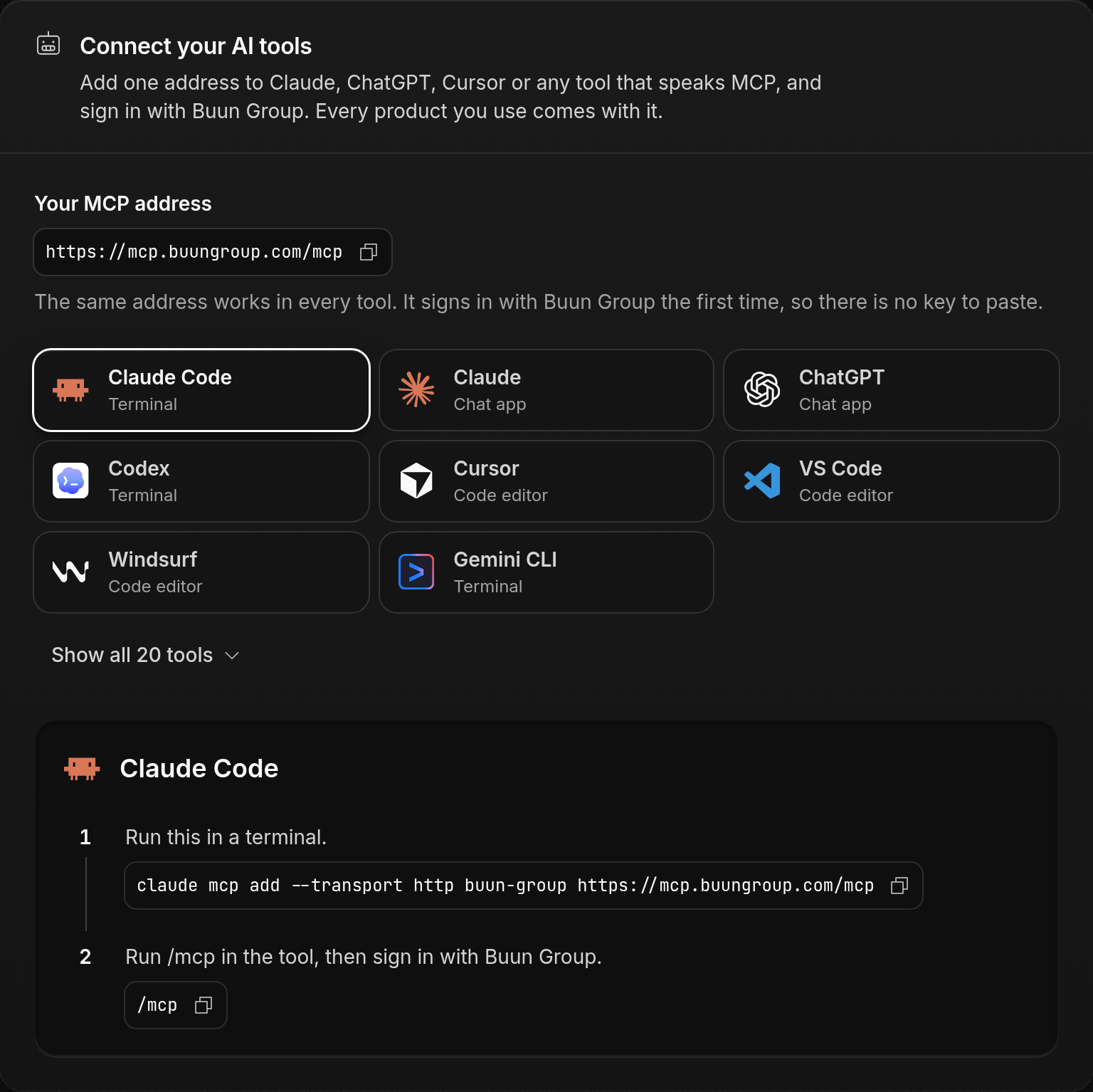
The list lives in AGENT_CLIENTS of @buun-group/ui, and the panel is its AgentConnect component.
Signing in to the gateway
The gateway is a resource server of Buun Identity (RFC 9728). Its metadata is at /.well-known/oauth-protected-resource and names Buun Identity as the authorization server. An agent such as Claude Code registers itself with a client ID metadata document, signs the person in, and sends the access token whose aud is the gateway on every MCP request.
Reaching a product
There are two ways, chosen per product in the gateway's catalogue:
| Way | When | The person does |
|---|---|---|
| Token exchange | The product accepts Buun Identity tokens (acceptsIdentityTokens) | Nothing. Anyone on the product's plan sees its tools |
| The product's own sign-in | Any other product | Calls buun_connect once and signs in to the product. The gateway keeps the product's tokens sealed for them |


Token exchange is the way every new product should take: see Accepting Buun Identity tokens.
The catalogue
The products the gateway reaches are a closed list in code, src/upstreams/catalogue.ts of buun-group/buungroup-gateway, one list for each of production, preview and local development:
{ product: 'plotwork', endpoint: 'https://mcp.plotwork.dev/mcp-oauth', authorizationServer: 'https://mcp.plotwork.dev', acceptsIdentityTokens: true }
| Field | Meaning |
|---|---|
product | The product id |
endpoint | The product's MCP endpoint. It is also the aud of every token traded for it |
authorizationServer | The one sign-in server the gateway trusts for the product's own sign-in |
acceptsIdentityTokens | Set once the product checks Buun Identity tokens. The gateway then trades instead of asking the person to connect |
A product is added by a reviewed change, never by a row or a request. Staff can turn a product off at the gateway from the console at any time.